


Print, Code & Apply Flag Tag
The label applicator LA 5200 RFID is a true all-rounder, providing an all-in-one solution. The “Print, Code & Apply Flag Tag” process involves the automatic writing, printing and application of tags.
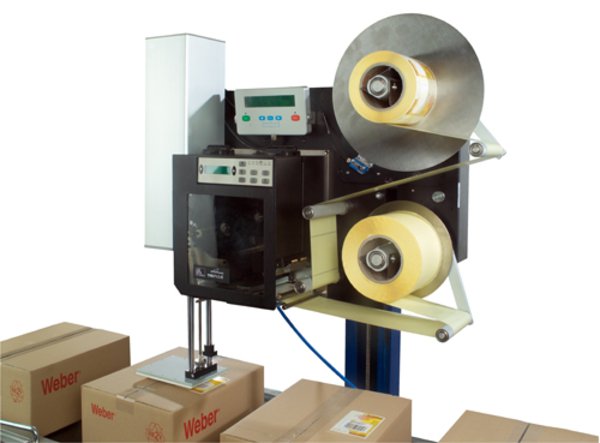
Depending on application requirements, label formats from 20 x 5 mm to 180 x 350 mm can be processed, with up to 210 labels being dispensed per minute. The process may also include the optional “Bad Tag Reject” unit, to ensure that only error-free tags are applied.
An “Auto Flag Tag” dispenser is also available for the LA 5200 RFID, to help achieve satisfactory performance when handling surfaces and products that are not optimally suited for RFID tagging because of their physical characteristics. The portion of the label that holds the RFID tag is automatically folded by the dispenser before application and is thus raised slightly above the surface.
Adobe Reader is required to open and view PDF files. This can be downloaded free from adobe.com.
Available Documents
Markoprint Integra Ultimate
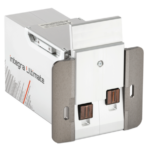
The innovative Integra Ultimate thermal inkjet printer not only provides IP65 protection against dust and moisture, but it also closes and cleans the nozzle plate at each pause. This system ensures that the printing is always clean, with faultless results even after extended breaks. As a result, the ink cartridges’ open times are multiplied many times. Two HP Class thermal inkjet ink cartridges can be used with the print head. As a result, the system produces beautiful prints with a maximum height of 25 mm.
View ProductZebra ZT510 Industrial Printer
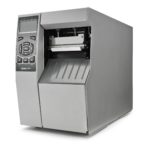
ZEBRA ZT510 – NEXT-GENERATION PRINTING THAT IS BUDGET-FRIENDLY
Designed to strike the ideal balance between performance and value, the Zebra ZT510 includes the core features you need in an industrial printer at a cost-effective price point.
View ProductZebra FS10 Fixed Industrial Scanner
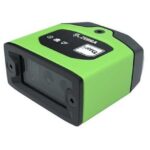
A Quick & Compact Scanning Solution
The increasing demands on international commerce and its global supply chain are pressurising businesses to deliver more and deliver faster. From manufacturing to logistics to the end customer, success is driven by the ability to move quickly and track the products that drive your business.
Now you can address it all with the compact Zebra FS10 Fixed Industrial Scanner. With a slim profile, the FS10 fits easily everywhere you need scanning. Just plug the FS10 into the USB port of a workstation, laptop, tablet or any other host device to dependably capture barcode data, from assembly to storage and fulfilment.
View ProductZebra FS20 Fixed Industrial Scanner
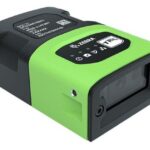
An Easily Integratable Scanning Solution
The increasing demands of international commerce and its global supply chain are pressuring companies to deliver more — and to do it faster. From manufacturing to logistics to the end customer, success is driven by the ability to quickly move and track the products that drive your business.
Address it all with the compact Zebra FS20 Fixed Industrial Scanner. With the FS20, it’s easy to track and trace every item as it moves through production, storage and fulfilment. Scan barcodes on components moving through your assembly line to ensure the right part is used at the right time — and enable rapid targeted recalls of products that contain defective parts. Scan barcodes on items as they are placed on warehouse shelves to provide visibility into real time inventory. And scan barcodes when fulfilling orders to ensure the right items are sent to the right customer. Whatever you want to track and trace, the FS20 makes it easy.
View Product










