


Deli Labels
We can work with you to create amazing looking labels that will work with your container and handle the environmental conditions that it will be stored in like refrigeration or moisture. Your label has to not only keep your product safe but also needs to entice the customer into buying your product. Bright colors, metallic foils, clear films and more are just some of the design options that will set you apart from the crowd.
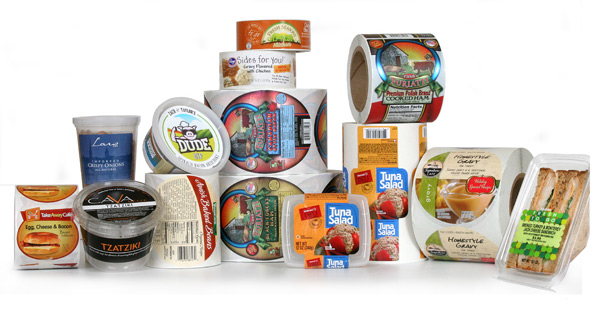
A Deli department usually has hundreds of different shaped containers and packages for all the delicious foods they sell. All those odd-shaped containers need labels. And the labels have to look good.
Deli Label Tips
Materials:
- Use a clear label material or metallic foils for the look of quality and to create dimensional effects with your label.
- Be sure to use label materials that will stand up to damp and/or refrigerated conditions.
- Always test your label adhesives to make sure they will stick securely to your containers, especially plastic clamshells and other non-paper materials.
Artwork:
- Use unique designs and colors to create a family of products. This makes it easier for consumer to return to your brand by sight.
- Keep your design simple but eye-catching. Create patterns on your label or subtle designs using dull or gloss varnishes.
- Custom die shapes allow you to use interesting shapes for your label.
- Add a QR code so your customers can interact with your company, get coupons, recipes and more.
|
Gravy Labels Deli labels come in all shapes and sizes, and many of them are round labels used for clamshell and lidded containers like this gravy label. This label is a great example of an appetizing design using complimentary colors and showing the product in use. This label is also part of a family of labels for this brand that are easily recognizable and that change slightly with the season. These labels were printed on our high-resolution HP digital presses. Label Size: 5.0″ circle Facestock: Glossy paper Print method: Digital Top Coat: None |
 |
|
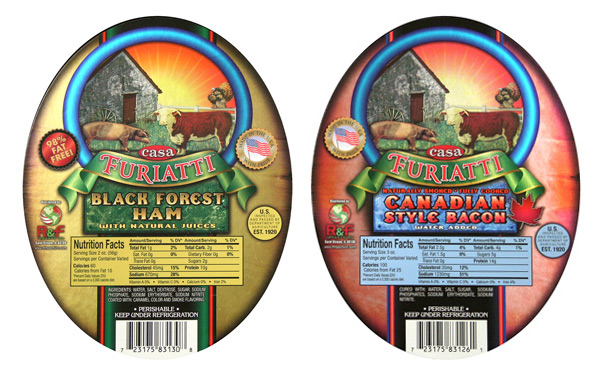
Deli Meat Labels These labels are a redesign we did for a company that manufactures deli meats. The upgrade of their label included using foil to create reflective highlights and a more modern, realistic look to the label. Photography does not do these metallic labels justice. If you would like to see what they really look like, click on the label sample request button below to receive your own copies. Just mention metallic labels. Label Size: 4.5″ wide x 5.75″ high Facestock: Metallic foil Print method: Digital Top Coat: Dull spot varnish |
 |
Adobe Reader is required to open and view PDF files. This can be downloaded free from adobe.com.
Available Documents
Markoprint IP-Jet
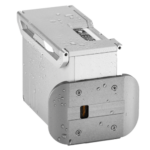
The thermal inkjet printer IP-JET HP MK3 has been specifically designed for usage in dusty or damp situations. It is especially ideal for the food sector, as well as the plastics, pharmaceutical, and chemical industries, due to its IP65 protection level.
The IP-JET HP is a small inkjet printer with a printhead and control unit housed in one unit. Water and dust are kept out of the cartridge by sealing it and pressurizing it. The power supply features a waterproof connector, and the external connections’ connectors are secured with an IP67 rating. The printhead does not need to be covered or removed for wet cleaning, unlike many other printers on the market.
View ProductECOMARK – Economical Wax
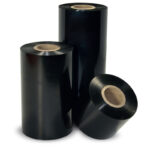
ECOMARK is the most competitive wax ribbon from Weber.
It makes no compromise between price and quality in order to match
standard wax labeling applications.
Markoprint Integra Quadro/Quadro²
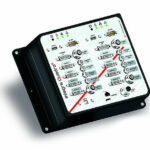
The new Markoprint Integra Quadro/Quadro² print controller can control up to four inkjet printers or four print positions at the same time. This allows you to print on both sides of primary and secondary packaging on one or two separate production lines. There are also two separate printing methods that can be used in this process.
The Markoprint Integra Quadro/Quadro² can easily cope with limited space thanks to its slender design. Installation inside or directly at the industrial line is straightforward thanks to the different fixation options. It was designed specifically for installation in control panels and machinery.
View ProductDURAPRINT – Wax resin
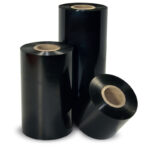
DURAPRINT is a very versatile, multi-purpose wax-resin ribbon.
It provides a higher level of resistances compared to standard wax ribbons and
prints small characters and barcodes with a high level of quality.











